 Cui
Cui 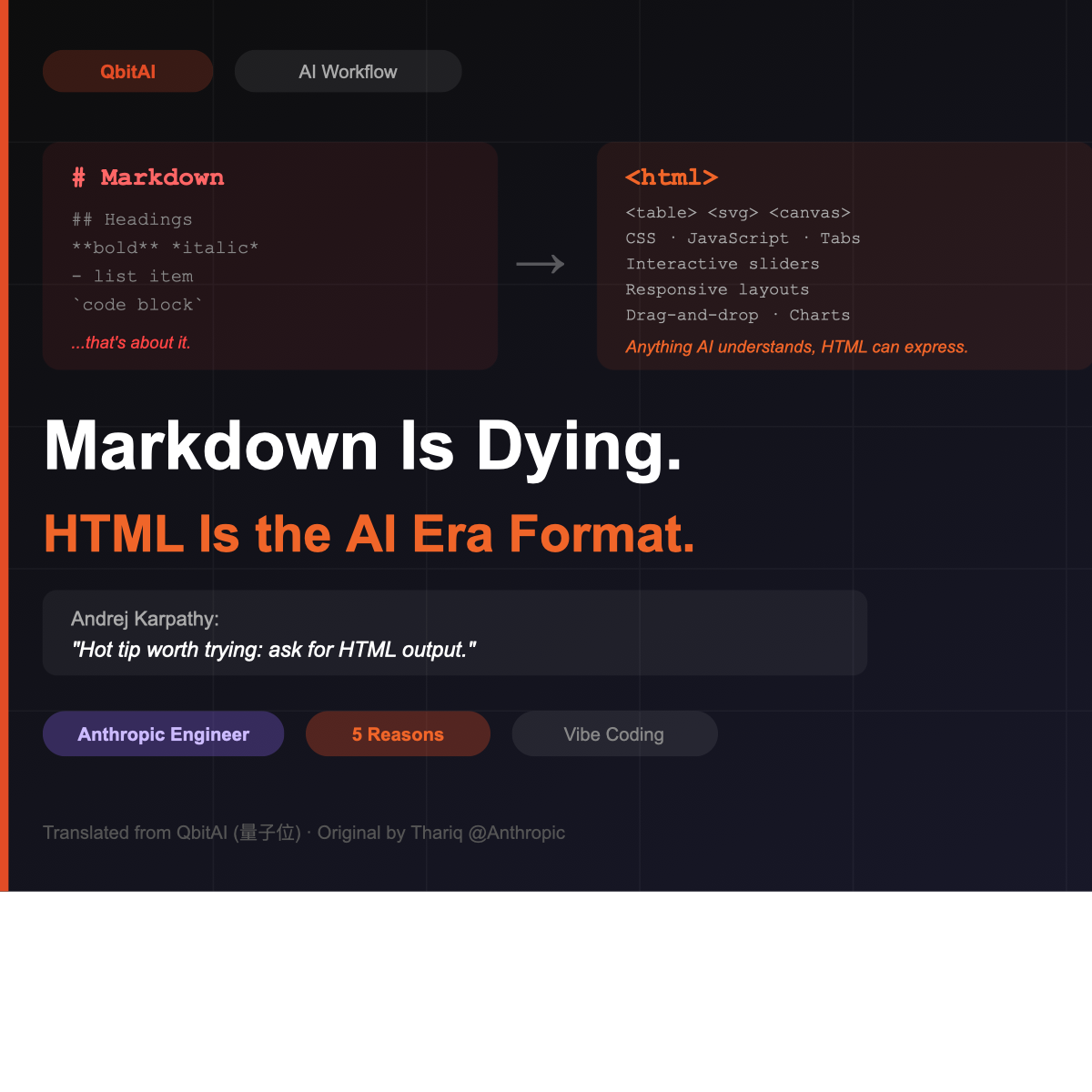
Editor’s Note: This is an English translation of an article by Jay, published by QbitAI (量子位). It covers the viral thread by Anthropic engineer Thariq and Andrej Karpathy’s endorsement of HTML over Markdown in AI-era workflows.
Markdown Should Die
That’s the hot take — and it came from an Anthropic engineer.
Today, a long-form post by Thariq (an engineer at Anthropic) went viral across the internet. The whole article had one purpose: to issue a death sentence for Markdown.
Yes — this format that took the vibe-coding world by storm not long ago is now being called out by Claude’s own engineers.
I barely hand-edit these files anymore. I mostly treat them as specs, reference docs, or brainstorming outputs. And when I do need to edit them, I usually just hand them off to Claude.
Wait a minute.
I just learned Markdown…
And it’s already dead??
So what replaces it? What should we learn next?
Thariq’s answer was unexpected:
HTML.
I use HTML for everything now — planning, requirements design, architecture exploration, code reviews, reports…
Now, if it were just Thariq saying this, it wouldn’t mean much.
What matters is that the comment section erupted with people saying “same” — and that in itself signals a trend.
Even Karpathy showed up to co-sign:
This approach is genuinely useful.
Here’s the full breakdown.
Why Is the Anthropic Engineer Pushing HTML?
Format debates are easiest to understand through comparison. Thariq lays out 5 reasons HTML beats Markdown. Here’s each one.
1. Information Density: HTML Wins By a Landslide
What can Markdown do? Headings, bold, lists, code blocks. That’s about it.
But what HTML can do is almost absurd — tables, CSS styling, SVG vector graphics, JavaScript interactivity, Canvas, absolute-positioned spatial layouts…
There’s virtually no type of information that an AI can understand but HTML can’t express.
You’ve probably seen Claude Code try to draw flowcharts in Markdown using ASCII art, or “approximate colors” using Unicode block characters. That’s the classic meme.
It’s heartbreaking. Like forcing a painter to use chopsticks to paint in oils and demanding they produce the Mona Lisa.
2. Readability
Markdown’s collapsibility is maxed out — but that’s a problem.
Thariq said he basically stops reading any Markdown file over 100 lines. Let alone asking the rest of the team to read it.
This resonates hard.
Be honest — every time Claude Code or Codex grinds out a 200-line plan.md… have you actually read it?
You glance at it, say “let’s go,” and move on.
But HTML should be different. AI can organize the same information into pages with tabs, navigation, and collapsible sections — even responsive layouts that look good on mobile.
The contrast is real: the left side (Markdown) gets selectively ignored; the right side (HTML) actually gets read. Humans love visuals. Sorry, Markdown.
3. Near-Zero Sharing Cost
How do you share a Markdown file? Send an attachment. The recipient then needs a tool that can render it.
HTML? Upload it to S3, drop a link, it opens in a browser.
Send it to a colleague, a boss, a friend — effortless.
From a purely pragmatic standpoint: HTML means your spec, your report, your PR description actually gets read. The probability of that happening is dramatically higher with HTML than with Markdown.
This is also why personal websites have become the new resume format in the AI era.
4. Two-Way Interactivity
HTML is interactive.
You can ask Claude to add sliders and dials to a design mockup so you can adjust parameters by dragging.
You can have it build a drag-and-drop kanban board to re-prioritize tasks.
You can even have it create a live Prompt editor — edit the prompt on the left, see the filled output on the right in real time. Hit Copy to paste the parameters straight back into Claude Code.
5. Joy
This is Thariq’s final reason: building with HTML is more fun.
And honestly, this might be the most important one.
When you enjoy working with a tool, you invest more, you polish more, and the output quality is just higher. The reason people get addicted to vibe coding is that they rediscovered that original sense of joy.
Thariq’s Use Case List
This isn’t just theory — Thariq has already become a committed HTML practitioner. He lists several concrete use cases in his post.
1. Planning and Exploration
Instead of writing a plan.md at the start of a project, have Claude Code generate a set of HTML files.
First, brainstorm — have several directions rendered as visual comparison pages. Then pick one direction, go deep, build mockups, write code snippets. Finally, organize everything into an implementation plan.
Sample prompt (worth saving):
I’m not sure how to approach the onboarding page. Generate 6 completely different approaches — vary layout, tone, and information density — all in one HTML file in a grid so I can compare them side by side. Annotate each approach with its trade-offs.
2. Code Review
This is a genuine pain point.
Reading diffs in Markdown is painful.
HTML can render real diff views with inline comments, color-coded by severity, and flowcharts explaining code logic.
Thariq now attaches an HTML-formatted code brief to every PR. His team does too — they have an internal error-review skill that generates HTML, making typos visible at a glance.
3. Design and Prototyping
HTML’s interactivity is a natural fit for frontend prototyping. No explanation needed.
4. Reports and Research
Ask Claude Code to dig through your Slack, your codebase, your git history, the web — then synthesize everything into a highly readable HTML report.
It can be a long-form document, an interactive explainer, or even a slideshow.
5. Disposable Editors
This one’s clever.
When it’s hard to describe what you want in plain text, have Claude build you a “disposable editor.”
Yes — disposable. Not a reusable tool. Just an HTML page made for exactly this one task.
Example: you have 30 Linear tickets that need re-prioritizing. Have Claude build a drag-and-drop kanban. Pre-sort them. Adjust. Hit a button and export to Markdown.
Or you’re tuning a system prompt. Have Claude build a split-pane editor — prompt on the left, live preview on the right, with a token counter and copy button.
Use it once. Throw it away.
The time and mental energy it saves you vastly exceeds the 30 seconds you spent describing what you needed.
Q&A
Doesn’t HTML use way more tokens?
A lot of people in the comments raised this.
One developer ran the numbers: maintaining 7 projects simultaneously — code, design files, training materials, learning modules — they estimated the same content in 425 Markdown files costs about $6,600 per year in context costs. Switch to HTML, and that number jumps to $11,000.
An extra $4,400 per year just for HTML tags the model doesn’t actually use.
Someone in the comments joked: “Anthropic is genius — they found yet another way to drain our usage credits faster.”
Thariq acknowledges HTML generation takes roughly 2–4× longer than Markdown.
But he thinks it’s worth it — because you’ll actually read it, and what you get out of reading it is far more than what you’d get from glancing at a Markdown file and closing it.
And with context windows expanding (Opus 4.7’s 1M token window), the extra overhead becomes much less perceptible.
What about version control?
This is HTML’s biggest weakness. HTML diffs are noisy and hard to review.
Thariq doesn’t have a perfect answer here, and honestly, there isn’t one yet.
The pragmatic take: weigh the trade-offs. If you’re using HTML primarily for one-off planning docs, reports, and code review briefs, version control demands aren’t that strong to begin with.
How do I get AI to generate good-looking HTML?
The easiest path is a skill/template. There are plenty of frontend design skills that meaningfully reduce the “AI-slop” aesthetic.
If you want to match your company’s specific visual identity, Thariq’s suggestion: have Claude read your codebase, generate a design-system HTML file, then use that file as the reference for all subsequent HTML output.
One caveat: this only works if you have enough data assets and your style is already mature and consistent. Otherwise you risk polluting future iterations and drifting into AI slop.
Karpathy Co-Signs
After the post went viral, Karpathy jumped in:
Hot tip worth trying right now: ask for HTML output.
But he took a slightly more macro view. He sketched an evolutionary arc from text to visual:
- Plain text — hard to read, exhausting
- Markdown — bold, italics, headers, slightly better
- HTML — still code-driven, but massively more flexible for graphics, layout, and interactivity
- … → the end of this path, Karpathy suggests, might be interactive video generated directly by diffusion models
Sounds science fiction? Look at the latest neural rendering demos going viral. Maybe not that far off.
Karpathy also made an interesting point about the input side:
Voice input isn’t enough. He says he needs to be able to point at things — point at a spot on the screen and say “change this here,” the way you naturally would if someone were sitting next to you.
The current solution is screenshots, or circle-and-annotate interfaces like Stitch. But it’s still not seamless. The mental bandwidth fusion between humans and AI on both input and output is still very much in progress.
The Copernican Revolution of Intelligence
It’s surreal. In 2026, HTML has become a “programming language” — certified by an Anthropic engineer.
But I think the significance of this goes far beyond a format standards debate.
Markdown and HTML are both paradigms born for human-computer interaction. Markdown was designed for humans — simple, intuitive, easy to write by hand. Its entire reason for existing was “human convenience.”
But now, who writes these files?
Not you. AI does.
Who reads them?
Increasingly, not just you. You and AI read them together. Sometimes only AI reads them.
HTML has some information redundancy, yes. But it’s semi-structured. It allows precise targeting and precise edits. Drop it in a browser and you get an immediate preview.
And those properties are a perfect fit for today’s vibe-coding workflow.
Reading Thariq’s article, the biggest realization is this:
Being “AI-native” has always been a very concrete, tangible thing.
Everything is being rewritten. All the rules that used to center on humans are being challenged and reshaped.
The CLI is making a comeback. Natural language is replacing GUIs. Code itself is becoming an intermediate product, not the final one.
Everything carefully designed for “human convenience” is being re-examined — not because it was bad, but because the goal it used to optimize for — human experience — can no longer be the only priority.
This reminds me of something Terence Tao said. He described what we’re living through as a cognitive Copernican revolution:
We once believed human intelligence was the center of the universe. Now we’re discovering that the universe contains many different forms of intelligence, each with its own unique strengths and limitations.
Everything once centered on humans: file formats, interaction paradigms, programming languages, the entire software engineering methodology — all designed around “helping humans express intent more efficiently.”
That center is now shifting.
When both creators and consumers are no longer purely human, the world designed for “purely human” use cases may be destined to gradually give way.
But sometimes I try to remind myself: don’t be anxious.
Maybe the collapse of the old “intelligence worldview” will actually help humans.
It might force us — in the rubble — to rediscover what “being human” more precisely means.
Just like when astronomers acknowledged the vastness of the cosmos and it sparked in humans an even stronger curiosity. We became more desperate to venture outward. We pushed harder to go further, faster…
Today, AI is taking us into a more distant, stranger universe called “intelligence.”
Everything returns to the beginning. Everyone is in the same forest, and no one can see the full picture at the start.
Even an Anthropic engineer only realized “HTML should reign” after fumbling through the journey to get here.
So maybe, starting now, we can try to let go of humanity’s stubborn attachment to traditional conceptions of intelligence.
Start from first principles.
Question everything.
References:
- Thariq’s original post: https://x.com/trq212/status/2052809885763747935
- Karpathy’s endorsement: https://x.com/karpathy/status/2053872850101285137
Original article by Jay, published by QbitAI (量子位).
 The First Java Harness Framework Is Here | AgentScope Brings OpenClaw to Enterprise Distributed Scenarios
Click to load Disqus comments